To his point, even in the Linux world, DEs have accumulated the bloat of features, animations, complex compositing, front-to-back theming, and other frivolities that have made them large and slow. Not to mention that "flat" theming has somehow consumed everything. Try using an older stacking WM. It is shocking how fast they are and how few resources they use. Their problem is that they're not maintained.
Is there a WM out there that can do the basic quality-of-life functions of today's DEs? I'd love a simple, opinionated WM that takes the features we know are useful today (workspaces, expo mode, sensible file manager layouts, system trays) and gives them a color-adjustable window theme inspired by 90's aesthetics, with minimal compositing that can run fast on hardware as minimal as a prototype RISC-V board. Or really, what we need is a truly minimal DE. Something that doesn't care about GTK or Qt or Kvantum, and stays lean.
Edit: I've already tried tiling WMs and I don't like them. I want a primarily mouse-driven UI. I'm sort of in agreement with the NeXT philosophy there. I primarily use Mint and Cinnamon these days.
I also understand that applications are bloated, but they can be bloated in their own little sandbox instead of creeping out to the rest of the system.
To be fair, while I remember the Windows 95 shell being quite snappy on a 133 MHz 5x86, it’s not exactly the epitome of the suckless ideal internally—it’s centered around COM/OLE2 (with Unicode strings!), has a full-blown object browser under the guise of Explorer, and to avoid the slowness all of that causes, has a restricted reimplementation of COM inside[1] that through carnal knowledge of Windows internals is capable of interoperating with the system one.
One would think displaying seconds[2] would be the least of its problems, but apparently not. (Maybe the Unicode-only TrueType renderer really hurts that much? Did they not have the time to write a eleven-glyph cache?)
Compromises were made, because of the hardware limitations of the time. A "Windows 2095", rebuilt for modern processors and security practices while maintaining the essential aesthetic of the original, would be blazing fast.
I think serenityOS is heading that direction: "Roughly speaking, the goal is a marriage between the aesthetic of late-1990s productivity software and the power-user accessibility of late-2000s *nix."
https://serenityos.org/
I'd be delighted if something like SerenityOS, or Haiku, or hell, even ReactOS could gain enough traction to develop into a viable desktop OS during my lifetime. But I'm too dumb to do it on my own, too burned-out to become less dumb, and too jaded to feel passionate about something like that again after being rug-pulled since the 1990s. Back when I was richer, I threw money at Haiku, but in ~20 years it hasn't really shaped up into something that will supplant any of the big boys. Pipe dream. Sadly.
I love SerenityOS. Hard to say how long it will take to become viable on real hardware though. It does not seem to be a priority for the project.
Haiku feels like it is getting very close. I have been meaning to give it a serious shot.
ReactOS feels like it is never going to get there. It is a real shame.
Honestly, what I want is Serenity Linux. The Linux kernel and drivers are already fine. If it booted into the SerenityOS WindowServer ( and maybe ran Podman ), it would be perfect!
Anybody interested in Serenity or in OS design in general would probably love the youtube channel[0] of Andreas Kling, the primary author. He streams videos porting games and applications to Serenity, deep dives on individual issues, etc. Great content.
If you put your mind to it a bit, you can approximate this on Linux today. There's a lot of options other than Gnome and KDE, and the XWindows ecosystem may be a bit "out of date" but it's extremely mature and very, very pluggable.
And the result is indeed pretty blazing fast. I tend to run pretty close to this now; my world is basically a tiling WM, some shells, and a browser.
The biggest compromise overall is that browser. They just keep getting bigger and bigger, and I need it to work. Props to the people writing them who are doing an amazing job making them faster, but, well, as the saying goes "if the hardware doubles its speed, software will become three times slower" must now apply even harder to the browser, which just keeps becoming a more and more amazingly performant platform for serving pages with tens of megabytes of JS and dozens of layered video ads playing.
I wonder what a 2090s release of Windows would look like, if Windows (or humanity) is still around by then. I’m pretty sure I won’t be.
Maybe: Windows 2095 has a chat window which connects to an AI at Microsoft HQ. That AI has full access to the Windows source code. If there is something about Windows you don’t like, complain to the AI and it will modify the Windows source code to create a patched version fixing the thing that annoys you. The binary patch will be downloaded and hot-applied without reboot.
Maybe Windows 2095 will be closer to Windows 3.x - a layer which runs on top of another OS. NT, Linux, XNU, Fuschia, seL4? The apps and the user won’t know and won’t care.
Porting Windows to run perfectly on all those different kernels may seem like a pointless exercise, but someone asked the AI for it so it happened. Some of them didn’t expose the necessary primitives, so the Windows development AI asked the AIs responsible for those kernels to make the necessary enhancements
It is implied that it will also install a personal shopping assistant and book-keeper that will track how much you have to spend and make recommendations. It might even take the liberty of ordering things it knows you will like or need that offer generous return policies.
Oh, and it will break a few other things so you have to ask it again. Right after it posts to your social media some deep fakes about how much you love the stuff it bought.
> It WILL even take the liberty of ordering things it knows you SHALL like or need
FTFY.
This will be unlike MacOS (which, by then, will have probably rebranded 5 times into something like OneOS, AiOS, or ${latestFad}OS), which will simply take a percentage of your bank-account balance every month, in exchange for good feelings and a fake sense of belonging.
> it’s centered around COM/OLE2 (with Unicode strings!)
While NT was Unicode internally, Windows 9x barely had any WinAPI functionality implemented with wide strings, for the most part only ANSI versions of the APIs were available (unless you were using the much later released UNICOWS compatibility layer).
> Did they not have the time to write a eleven-glyph cache?
Come on, the answer is right there in the article you linked:
> saving even 4K of memory had a perceptible impact on benchmarks
Granted, you won't need a full 4K of memory for those digits, but the point still stands.
>> it’s centered around COM/OLE2 (with Unicode strings!)
> While NT was Unicode internally, Windows 9x barely had any WinAPI functionality implemented with wide strings, for the most part only ANSI versions of the APIs were available (unless you were using the much later released UNICOWS compatibility layer).
True, but does not contradict what I said: OLECHAR was 16 bits on all Win32 implementations—witness the OLE2ANSI shim on old VC++ versions that allowed you to pretend it wasn’t (it was 8 bits on Win16 and IIRC on the Macintosh port). Consequently, Unicode strings were used throughout the new COM-based NT4/95+ shell APIs, even on 9x/Me.
I remember reading that the TrueType implementation used Unicode everywhere as well, even on non-NT where you could only get to it via MessageBoxW and ExtTextOutW.
>> Did they not have the time to write a eleven-glyph cache?
> Come on, the answer is right there in the article you linked:
>> saving even 4K of memory had a perceptible impact on benchmarks
> Granted, you won't need a full 4K of memory for those digits, but the point still stands.
I don’t think it’s all that obvious. On a typical Win95 box the taskbar clock is what, probably around 16 pixels or so high? With non-antialiased fonts, that’s eleven (ten digits and a colon) bitmaps of (generously) 16x16 bits, so under 400 bytes, a full order of magnitude below 4K. There are probably other places in the Windows shell you can shave half a resident K off of, even separating hot and cold data in the linker is liable to get you that much.
(Keeping the window procedure of the taskbar paged in—also mentioned in the article—is probably a bigger issue, although doesn’t it mean in the intended state the system will page when the user wants to interact with the taskbar? That doesn’t sound pleasant. The whole thing might also have come very late in the development cycle—I seem to remember there was a registry setting that brought the seconds back, so the code wasn’t even removed.)
I use a Mac as my main system and what frustrates me is there is no way to truly disable all animations in the system. Sure you can reduce them which gets you about 80% of the way there but there is no supported way to totally disable them all.
It actually surprises me given Apple is very pro accessibility. The reduce motion option is after all an accessibility feature. It is always why I never understood why Apple don't embrace more keyboard shortcuts for simpler app window management (snapping) rather than the decade old, half assed implementation we have currently.
For me macOS would be perfect with just a few very small features for better window management built in along with the ability to customise it a bit.
I'm not talking full on tiling window manager level features with gaps, master-stack, fib spiral, etc. Basically just something like Magnet/Rectangle built into the OS out of the box, plus two-window resizing (like we already have with the current full screen snapping feature).
One aspect that I find particularly vexing is the apparent lag when toggling between MacOS Spaces, even when the 'reduce motion' setting is enabled.
I utilize Spaces as an alternative to multiple monitors, often alternating between a full-screen terminal and a browser window in different Spaces. Anticipating the need to open a new browser tab, I transition to the browser Space and instinctively press 'Cmd+T', only to discover that a new tab has instead been created in the terminal window.
AFAIK, there doesn't seem to be a way to achieve instantaneous Space-switching devoid of any animation or delay.
> Basically just something like Magnet/Rectangle built into the OS out of the box, plus two-window resizing (like we already have with the current full screen snapping feature).
On newer versions of macOS, if you hold down Option while hovering your cursor over the Zoom button on newer versions you'll be given the option to split left/right without fullscreen. Not a full replacement for an Aero Snap sort of thing but covers its most common use case.
Yup this has been an option for a while but it isn't a nice quick keyboard shortcut :)
Apple managed to make it one of the most awkward features to use in macOS IMHO. You have to position the mouse over a small UI target, wait a second and also use the keyboard. I wish it were just a keyboard shortcut.
It's true that these don't come with a keyboard shortcut, but you can add your own!
Open System Settings > Keyboard > Keyboard Shortcuts > App Shortcuts and then add a new shortcut to All Applications, with the menu title being "Move Window to (Left|Right) Side of Screen". After doing this, in any app that's left the system-standard Window menu in tact (in my experience, the vast majority), your specified key shortcuts will split the frontmost window left or right.
You're right I should have acknowledged you can make it a keyboard shortcut.
That is what is frustrating about macOS window management, they could add everything I want as it is sort of already present. It is just missing customisation and a few additional options.
It seems that since Apple started trying to create consistency between macOS and iPadOS features they have (purposely) forgotten that people work with macOS quite differently to iPadOS :(
You are right, I was wrong. I didn't read the menu items closely. Holding the button down while pressing and releasing Option makes the toggle obvious. Thanks.
> It actually surprises me given Apple is very pro accessibility.
I have a hard time accepting that seeing as there is no way to configure system-wide fonts. CMD+scroll-wheel in Chrome doesn't even work properly (you can zoom the entire desktop, but it doesn't scale just the fonts on the website + remember your setting like it does on Linux and Windows machines).
I had to use a Mac for work and found it very difficult on the eyes when using an external monitor. To me this was not just an accessibility issue but THE accessibility issue. The fact that Linux gets this right of all operating systems, but Mac doesn't, speaks volumes to how much Apple actually cares about accessibility IMO.
On a Mac you just scale the whole display, not fonts.
I've never understood why someone would want to scale just fonts rather than all UX elements. What good is it to be able to read text but not see checkboxes or click the window's close button?
There's also a magnify feature if you need to scale so much that things don't fit on the screen anymore.
Yes, Apple is not only pro-accessibility but basically sets the standard for it. Nobody else even comes close.
because I need to be able to read text. I only need to see a square box and click on it. it does not need to be the size of the line of text.
because I don't need the windows close button at all and it takes up useless space. I close windows using the keyboard.
because icons don't need to be big. i don't need to read them. i can tell a stop sign is a stop sign even if it's too small to read the text on it.
that is why scaling the whole display, is a ridiculous idea functionally. now if you want your display to look more pretty while fitting less things, you should buy a painting to look at, or something from google with lots of that sweet pretty empty space and some light gray on white text. me, I have work to get done.
I have experienced this on both nix and MacOS. Increasing the font size gives the benefits of the high resolution display desktop space without making the text uncomfortably small. Scaling the display makes the desktop space feel like you're downgrading the resolution of the whole display.
> Yes, Apple is not only pro-accessibility but basically sets the standard for it. Nobody else even comes close.
That attitude summarizes the problem, thanks. Those who have actual accessibility issues and explain them are dismissed by Apple and their zealous fans as if their opinions, as actual end users struggling to use the product and asking for particular accessibility features, just don't matter.
I came across this "accessibility" setting up a Mac mini using just voice over. Selecting a WiFi network was almost but not quite impossible because it was doing something strange going through the list of SSIDs. I have no idea how it compares to a Windows PC during setup, but it seemed obvious that it was untested in a real environment. We're talking Catalina, I think, so plenty of opportunity to have gotten it right before that.
Thankfully I'm not blind, just a victim of Apple's notoriously bad HDMI port on the mini.
> plus two-window resizing (like we already have with the current full screen snapping feature)
Rectangle Pro[0] (the paid version that's more akin to FancyZones on Windows) has this now (though it doesn't animate it, it just resizes the other windows after you resize one). It seems to just detect what windows are adjacent and resize them to match.
You can disable all the animations in Gnome with the following:
gsettings set org.gnome.desktop.interface enable-animations false
This is exactly what I do on my Fedora system and as far as I can tell every animation is disabled. Do you have an example of something not disabled with the above setting change?
Not picking on you, as it seems this is common: treating open source software as if it's someone's else's product, and treating ourselves as helpless consumers.
Instead of being sarcasting and unhelpful, you all could have a look at a settings window and realize that the option already exist and there is no PR to do.
I'm not being sarcastic. They've had 3 "waves" where they either threw away a whole bunch of stuff or outright started from scratch. Not to mention the ever changing libraries (there is no stability). I'm obviously not talking about this one feature, but with a history like that, why expend the effort, there's basically no guarantee how long your contribution is going to last.
I'm not saying it's easy or that everyone is capable. Only that it CAN be changed, but the conversations around OSS often don't reflect that reality. (We've all seen Github issues being abused as a support channel, often with a strong odor of entitlement)
If someone has strong feelings about how a UI is lacking, why suppress it in order to be more polite and avoid appearing entitled? That's a very useful signal. Imagine if nobody expressed their strongly-held opinions about UIs; nobody would know what's missing or bad. Why must everyone who complains about something also attempt to fix it themselves?
Sure. KDE is great and all, but if they shipped a default config that included a Taskbar and a root menu that opened a terminal, there would probably be fewer people scratching their heads after starting it.
<joke>Besides, everyone knows twm is the window manager of the TRUE Unix Haxxor.</joke>
Seriously, just use KDE Plasma. Sure, it's not 'minimal', but on modern hardware it sings. It just works. It's a batteries-included desktop. It's built on a toolkit that people actually like using (Qt) and they don't change it constantly in backwards-incompatible ways just because the mood strikes them. It doesn't treat you like an infant with ADHD. They don't constantly fix things that aren't broken. Plus if you have a problem you have a decent chance of finding the solution via Google, unlike with a lot of the 'long tail' WMs/DEs people have mentioned.
As a KDE user i agree with this point of view. KDE is the most customizabile DE ever created. You can tweak the crap out of it to make it look and behave EXACTLY the way you want it. And, from my experience, the performance of the current 5.x version (running on Wayland) is very good.
I have xfce and KDE plasma installed. If you turn off everything in desktop effects for KDE, I can't tell any difference between xfce and KDE in terms of performance on an old 4 core i5 with 16 gigs of ram.
The only real difference is that KDE is much prettier. I almost never boot into xfce.
I've used KDE quite a lot. A like it, I really do. But the amount of small issues I have with compositing and caching that build up over time, regardless of distro, until after a few months I'm plagued by flashing and compositor crashes, or menus and file managers hanging for ages...it's just untenable. There are too many small bugs in too many nooks and crannies, and with KDE's scope (and scope creep), I'm not confident they'll ever be fixed.
This has not been my experience with Kubuntu 20.04 or 22.04. I have occasionally (like maybe once every six months?) had an issue that seemed likely to be Plasma-related, and was fixed by a reboot. And there was an issue with Plasma Search where if I let it search "Recent Files", it would hang the whole UI if I did a search that (I guess) was a match for some recent files. (Worked around that by unchecking "Recent files" in the list of things that Plasma Search searches...) So I mean not 100% issue-free, but nothing like what you describe. And certainly compares quite favorably to other Linux DEs I've tried (Gnome, Mate, XFCE, LXQt).
I switched to KDE from xfce4 because it handles dual monitor better and remembers settings for various second displays.
Then I started using Bismuth for tiling. Add to that the need for various desktop things like status icons, notifications, wallets etc, I am pretty much stuck because no wm provides this combination of features unless you take a tiling wm and spend days configuring it. (There's also the option of using something like xfce4 with the wm bits from a tiling wm.)
You could try Chicago95 for XFCE. It is a custom theme you have to download and install, but it gets the 95 theming down EXACTLY.
If you don't care about customizing like crazy and want something minimalist by default, the best thing I can point you to is GNUstep. Its a bit basic, old, doesn't really care about modern features, etc. It is, for lack of a better word, comfy. IceWM is also very nice. My biggest problem with these is that it takes a bit of config file editing to change the wallpaper.
Now if you want a lightweight WM with more modern features, I recommend enlightenment. Changing wallpapers is pretty easy and there are a few widgets...but it still feels very old-school.
Until recently (3/4 years ago?) I had been using Window Maker. Since 1998.
My only reason for abandoning it is because it doesn't support workspaces arranged in a matrix, only as an array.
I started using workspaces in a 3x3 grid, with the center one the "main" one and each of the compass points from center dedicated to a specific project.
Maybe I should see if Window Maker can be modified the way I want it to be.
Windowmaker allows you to map keybindings to workspaces, the default is to use the first 12 function keys. That's ... usually ... enough for me.
You can also pin the workspaces menu as a poor man's switch / navigation tool.
Logically, Windowmaker's workspace topology is either a list or a loop (daisy chain), depending on whether or not you've configured it to wrap last to first or not.
> Is there a WM out there that can do the basic quality-of-life functions of today's DEs? I'd love a simple, opinionated WM that takes the features we know are useful today (workspaces, expo mode, sensible file manager layouts, system trays) and gives them a color-adjustable window theme inspired by 90's aesthetics, with minimal compositing that can run fast on hardware as minimal as a prototype RISC-V board. Or really, what we need is a truly minimal DE. Something that doesn't care about GTK or Qt or Kvantum, and stays lean.
Mate desktop environment in my opinion comes closest to the simplicity of the Windows 95/GNOME 2 environments of the old: https://mate-desktop.org/.
Not sure how hardware-frugal it is since maintaining it under GTK 2 was not feasible and it's now developed against GTK 3 (with still maintaining the look and feel of GNOME 2).
I use MATE, personally, because it gives me the configurability that I want without the resource hungriness of KDE or cinnamon.
Cinnamon, while more resource hungry than MATE, actually isn't bad except that Nemo (its file manager) seems to have this bug where if you're doing a lot of batch file operations it just gets slower and slower to the point of becoming unusable... and it seems like its gone unfixed for ages. That's a deal breaker for me since I do photo and video editing and have to work with a lot of files. Caja (MATE's file manager) never seems to have a problem no matter how much I throw at it.
I find that MATE looks pleasing enough to me and is fast enough that it never reminds me that I'm slowing down my machine with a full-featured DE. That said, I tend to run modern hardware even though its by no means a powerful gaming rig.
For those who need something similar on older hardware, or who want a bare minimal but "nice" DE that will consume minimal resources, xfce is likely it.
Indeed, I believe MATE is still quite close to GNOME 2 which has launched in 2002 according to wikipedia. You can still probably run it in the low 100MBs of RAM comfortably :)
The Linux desktop ecosystem still feels more like a playground. And that's not a pejorative in the sense that a lot of serious work hasn't been done on making powerful software and doing professional work on Linux desktops. I mean that in the sense that "Linux desktop" isn't very defined, formalized or standardized. It comes in all shapes and sizes and people are very free to customize it and use it as they see fit. Many people think this is a good thing and a benefit of software freedom. For example, if I walk up to a random person's Linux desktop, I don't know what I'm in for. That's very different than walking up to someone's Windows desktop, macOS desktop or even Solaris back in the day.
The average Linux desktop has never been fully standardized. The average Windows desktop today (let's say, W10/11) is descended from W7 which was arguably really consistent. Even if they took W7 and bastardized it by introducing 10 different design languages (Metro, Modern, Fluent, new Fluent, ...) there was something to build on top of. On Linux, there are some GNOME guidelines, there are some KDE guidelines, nothing really universal. As much as I dislike the general macOS experience, Apple got it right early on by simply forcing you to adhere to the general vibe of the OS
Fwiw I use the i3 window manager so whenever I see conversations about Gnome vs. KDE vs. whatever - I could care less. It's irrelevant to me. So that idea, that Linux isn't standardized, really resonates w me.
I've been using xfce and it's been a good compromise. However I think it's impossible to stay 100% away from the bloat. Even if your desktop is lean, you will have to use some "modern" app, eventually. Especially when it comes to web apps.
I'd argue that a file manager shouldn't be a function of the Desktop Environment. No that a GUI file manager is necessarily bloat, but a file manager should be independent of whatever DE you're using.
Tiling window managers like i3 (or Sway) are very performant, if not really intuitive.
XFCE is still under active development and it behaves the way you'd expect a normal desktop to.
Its been a while since I distro/desktop hopped around the Linux world, but these are definitely still out there.
Bodhi Linux especially comes to mind with their enlightenment fork moksha. LXQT or XFCE might also for the bill if you want something a bit less foreign. Or Openbox if you want to go all the way minimalist. Or i3/sway if you're into tiling WM's.
>To his point, even in the Linux world, DEs have accumulated the bloat of features, animations, complex compositing, front-to-back theming, and other frivolities that have made them large and slow.
I use xmonad for over a decade now on multiple workstations. No bloat here.
I have been using fluxbox[1] for many years now, happily. It's a very barebones thing (in a good way) while also being highly configurable — customizable keyboard shortcuts, menus, scriptability, etc.
It is not a tiling WM. It also doesn't have desktop icons by default. I thought I would miss those, but have found I do not. There are options[2] to add that if you want it.
It also has no file manager. I use xfe[3] on the rare occasions I want that.
So, my setup is ~8 virtual desktops, with very minimal window decoration and task bar. Applications are easily launched via either custom shortcuts or the "right click" menu (though I use the keyboard to trigger it).
I also have a few keyboard shortcuts to position windows manually (eg: WinKey+NumPad key squashes the current window into a N,S,E,W -style location onscreen)
Standard X11 window management (eg: alt+drag to move a window) work as expected, etc.
If you use network-manager to manage wifi &c the nm-applet will display in the Fluxbox panel and I use cbaticon to monitor battery. No extra panels or docks.
You have tried to link directly to software or images from StokeBloke.com. This is not allowed. Please follow the menu on the left to find what you were looking for.
My software is accessible from the Software link.
Video software is accessible from the Video downloads link.
Blackbox 0.65.0 tarball for cygwin is accessible from the cygwin link.
[Fun fact: about 15 years ago, 30% of the total bandwidth from my vanity home page was produced by a picture that some teenager had linked to from a death metal forum. It was just a snap of a bit of wall art locally.]
A default (i.e. full) Slackware install has blackbox, fluxbox, fvwm, window-maker and icewm available by default along side kde and xfce desktop environments. And twm. And hidden away, not available from `xwmconfig` for some reason, lurks mwm.
I was the biggest fan of LXDE for ten years, then they abandoned all the polish and maturity for the brand new LXQt. They lost me due to the bugginess and relative bloat.
Before that, it was the same with GNOME 2 to 3.
I’m sure there were good reasons for both of these, but I have moved on to XFCE.
> Is there a WM out there that can do the basic quality-of-life functions of today's DEs?
For some reason nearly all standalone Wayland WM development is tied up in hyperminimal tiling WMs, which is frustrating. Boring old floating-first WMs with lightweight tiling options might not be trendy but they're what a lot of us work best with.
I have a soft spot for Window Maker and I have been using it until recently , when I moved to Wayland-based environments.
I also really like its dockapps (I even wasted some time writing one to display and control screen brightness), the only weak point for me is the systray dockapps, probably because it is a concept “transplanted” from other desktop paradigmsthat does not fit great.
Personally i'm not that invested in what NeXT came up for their DE, i don't even think they were that great from a UX perspective (i used Window Maker long before i even learned about NeXTSTEP and once i used one i found its window management way inferior to Window Maker), so i don't mind the systray stuff. I use a dockapp (wmsystray) that "splits" the icons into pages with (IIRC) four icons per page and little arrows below.
The only thing i'd like (and i might do and try to submit a patch at some point since AFAIK it is still being maintained) is for it to put a small frame around the icons like some other dockapps do for their contents as right now it just displays the icons on top of the dock tile background. But that is very minor.
FWIW NEXTSPACE isn't just a Window Maker fork but an attempt for a complete NeXTSTEP-like desktop environment based on GNUstep and Window Maker is only for the window management bits.
My previous one, a 2015 mba, runs like garbage now. It's the slowest thing you can imagine.
My equally old linux laptop runs just fine though. Not 100% as fast as before, but there's so much less cruft that it's still good to use.
The mac I returned had 8gb of ram and was meant to be an internet box, but the m-series aggressively uses swap memory to burn out the SSDs and force you to replace the entire machine within a few years. It's nuts. I had 1TB of SSD writes in a single day when I downloaded and installed nothing due to all the swap being used--7GB. That was just web browsing. The same workload on my old 2015 mba uses like 6-7GB of ram and no swap.
At 1TB per day of writes to swap, the lifespan of the machine was going to be extremely short
It's so gross.
I don't know what I'm going to do for my next laptop. I wish more companies could make good keyboards
I just picked up a Surface Laptop 5. Much like the Surface Laptop 3 and 2 that I had before it, it is a best-in-class piece of hardware.
I actually prefer its form factor to my M1 MBP; it's thinner, lighter, and I prefer a 3:2 display to 16:10. It runs 3x4k + 1x1080p over a single Thunderbolt cable into a dock (granted, I am using a USB 3.0 to dual DisplayPort adapter, but the SL5 is driving 2 of the 4k displays.)
I still use my M1 MBP for most things, and I have one for my job, as well; but the SL5 may be the nicest physical laptop hardware available today.
(Windows is another story. If I could run Linux on it with no compromises and no hassle, I'd likely ditch the Mac. So it goes.)
Surface Laptop 4 here. Great keyboard. Great screen. Great trackpad. Surface Dock is great. And WSL gets the job done too. It's lighter than the Mac. Dunno that battery is better, but it's certainly good enough. And it was relatively cheap!
But I still try to copy & paste like it's a Mac. And it's not a question of remapping. I want Alt+C and Alt+V to copy and paste system wide.
What exactly is the downside of no (or as many others have noted, far more accurately relatively minimal) maintenance?
What I'd already come to chafe at in the 1990s regarding GUI environments (applications, window shells, etc.) was that they changed gratuitously between versions. What's remarkable about classic Linux / Unix / X11 window managers is how little they change, if at all. I've been a Windowmaker user for going on three decades, and recall how the switch to proportional rather than bitmapped fonts was jarring. (I got over it.) Pop up twm (it's stock on MacOS with XQuartz) and you're transported back to 1987 ... and not at all in a bad way.
(For those who are under the misapprehension that such WMs are obsolete or impede performance, I can only point at a former cow-orker who'd had a heavily modded vtwm configuration that was virtually completely keyboard-driven and with which he'd swap between windows and workspaces with blinding and mesmerizing speed and agility.)
The biggest issues of which I'm aware are issues such as fonts, possibly Unicode support, and ... what exactly?
What you describe sounds an awful lot like SerenityOS, with the exception that it's not a VM, but a full-blown Operating System. It really does embody that pragmatic sense of no-fluff UI design that peaked in the 90s, but applies it to systems design as well.
>Something that doesn't care about GTK or Qt or Kvantum, and stays lean
Aren't Qt and GTK the building blocks of Linux GUIs? Sure, you can ask someone to build a GUI framework from scratch for shits and giggles, but to what end? Now every GUI program will need to use its framework, or else have Qt or GTK dependencies.
Its like asking for an OS built in rust that compiles all its programs from source ala Gentoo and "doesn't care if I have GCC or the JVM installed".
Dunno if this is what you’re getting at, but as much as I feel nostalgic for pre-windows xp/7 interfaces, computers do a lot more than they used to. Its at the very least much better to have a search bar that (only) filters through all the programs we have installed on a given system, no?
I wonder too what it would be like to use one of those old uis to navigate a modern system but I think theres just an overwhelming amount of “stuff” on systems now.
Luckily you can get an efficient, clean Desktop Environment that works well and is actively developed: Xfce ( https://xfce.org/ ) I think you will like it. It has a very early-2000's feel IMO.
One would think Linux would make sometging clean and responsive, instead it's a hot sticky mess. Remember i was aleays looking for that clean distro, elementaryOS luna was the pinnacle, then came updates and bloat
Who is this Linux you speak of and does he develop everything for the OS with the same name him/herself?
Seriously though, if the problems you mentioned are shared by enough people, someone will make something like that. Chances are though that something fitting your needs already exists or they are so niche/specific/nitpicky that you'll never find what you're looking for (in any OS).
User gibspaulding mentioned Openbox and I second giving it a look. Robust, compliant, minimal and finished (i.e., do not be disappointed by the lack of activity).


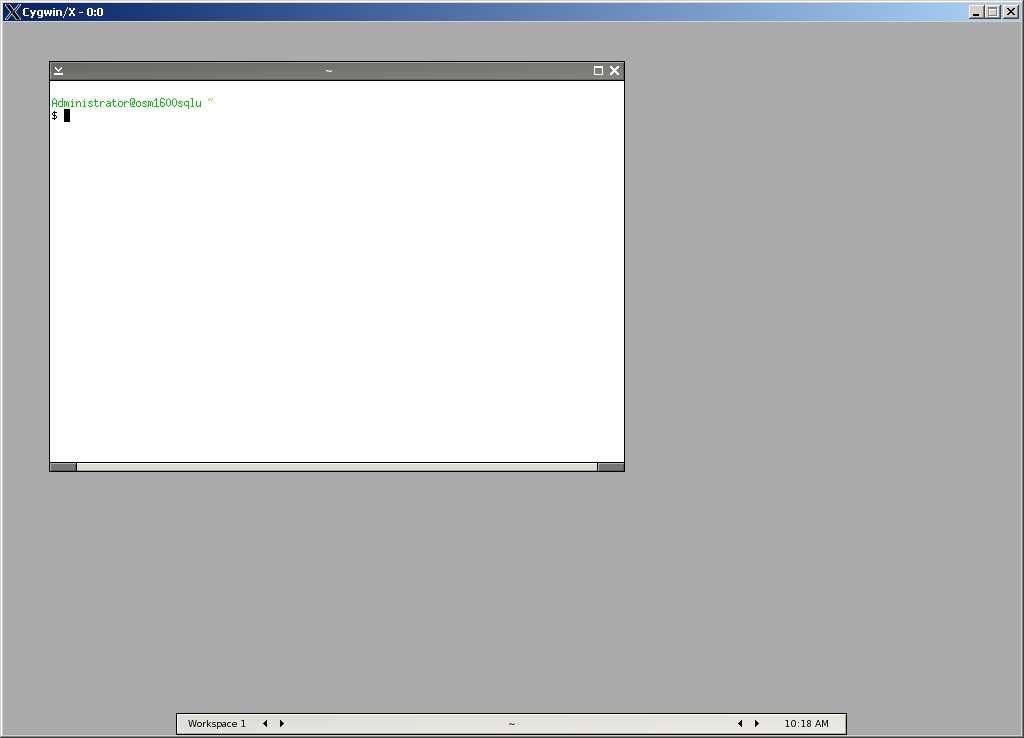


Is there a WM out there that can do the basic quality-of-life functions of today's DEs? I'd love a simple, opinionated WM that takes the features we know are useful today (workspaces, expo mode, sensible file manager layouts, system trays) and gives them a color-adjustable window theme inspired by 90's aesthetics, with minimal compositing that can run fast on hardware as minimal as a prototype RISC-V board. Or really, what we need is a truly minimal DE. Something that doesn't care about GTK or Qt or Kvantum, and stays lean.
Edit: I've already tried tiling WMs and I don't like them. I want a primarily mouse-driven UI. I'm sort of in agreement with the NeXT philosophy there. I primarily use Mint and Cinnamon these days.
I also understand that applications are bloated, but they can be bloated in their own little sandbox instead of creeping out to the rest of the system.