Personally, I really like short-throw keys on a keyboard, with less key travel. Whenever I find myself using a thicker, mechanical keyboard, it feels wrong somehow, and I don't enjoy typing on it.
Same, and it's been for me like that for years. Even before Apple had their version of their keyboard, which I absolutely /love/. At some point it was very hard to find laptop-like keyboards for desktops. A lot of people laugh at me for it, thinking it's not a "proper" keyboard, but I think it just boils down to preference and I personally don't buy into the mechanical hype.
Do you press the keys all the way down on those thicker mechanical keyboards? Because it doesn't actually take that much key travel for a key press to register.
I've used a mechanical keyboard for a couple years. Yes, there is a 1-2 mm buffer zone after the keypress registers. No, it's not practical to manually stop and reverse within that zone consistently while typing at a fast speed. I would even say it's unsafe due to the extra tension in the wrists needed for that kind of precision. But it is possible to just type a little softer and reduce the noise of the "clack" as well as wrist tension.
I find a type a lot lot softer now than I used to (which, since I don’t bottom out the keys, means less strain because I only barely touch keys). I use a Kinesis Advantage 2 (with a 3 button foot pedal and Cherry MX Brown keys) and its absolutely the most comfort I’ve ever had while typing. I type faster and more accurately than I did before and I feel a lot less hand/arm strain even after long periods of intense typing. I honestly wish I’d bought one ten years sooner (ok, an Advantage, since the Advantage 2 didn’t exist then), when I first considered it, but didn’t because the price seemed too high. I type that much, though, that the cost is nothing over its lifetime, especially if it helps me reduce or avoid RSI.
I’m always baffled when I see pepole absolutely hammer their keyboards. My hands hurt just thinking about it. Or just using bad keyboards at all. Our careers and hobbies rely on our hands so much that its a no brainer to optimise for their wellbeing, even if the keyboard is a tad expensive.
But I’m obviously a fanboy now, and I’m sure not everybody loves them as much as I do...
Can't speak for anybody else, but I know -I- hammer at my laptop keyboard because the keyboard is terrible and if I ease off it will sporadically fail to detect keypresses. I wouldn't be surprised to learn that this is the case for a lot of laptop or other less-key-travel keyboards, especially outside known brands. I use an external kb/mouse/monitor wherever it's feasible, but in that instance I generally just have to grab whatever is lying around the workplace, which means I generally get older mechanical keyboards with longer key travel distance (which, in turn, I don't have to hit as hard, though I'll admit that I still make a pretty satisfying whack on the spacebar). I -could- order my own kb/m and carry them around with me (and maybe I should), but then it's not really much of a laptop is it? :p
I typically have my own Jones is at home and a keyboard in the office (maybe I’ll buy my own second kinesis some day as not all employers provide me with one) and use the laptop keyboard when I’m not at my desk (at home or in the office).
Yes! If one's typing "correctly" on a mechanical keyboard, they would hear/feel the click and very little clack -- otherwise they're jamming the keys down with more force than needed.
Of course, some people enjoy mechanical keyboards simply because they just like... jamming the keys down as hard as possible and hearing loud noises, I support? And we all do that sometimes, I guess. But... that is definitely not the point of those mechanical keys.
Personally, I just keep scaling up the springs in my switches. Started standard, then went up to 85g, sitting at 180g with 250g switches waiting to be put into a board. No gentle typing required and I never bottom out strongly while typing.
I think what is proposed to happen is that you just hit the keys less hard not that you are going all out and then strain to pull back before you hit bottom.
No, I don't, and I don't press the keys all the way down on a laptop keyboard either. You quickly get used to how much force you need to make the key register.
Same! I type at 130wpm, have spent the last few years doing a tour of mechanical keyboard options, and in the end nothing allows to type faster than the chiclet membrane ThinkPad keyboard.
There are new Kailh low profile switches and keycaps, and I'm guessing they'll be better than what I've been using (most recently, Gateron Clears). But it's definitely a case of trying to emulate a chiclet keyboard with a mech one, which isn't what I thought my goal would be when I started out with mechs.
I have a thinkpad I've been using for a while, and the keyboard is nice - but the PgUp and PgDn keys around the arrow keys drive me nuts - I'm constantly paging around by accident!
I had the same issue. I disabled them in xmodmap for several years, then eventually decided I was never going to use them and cut out the rubber dome. Here's what it looks like: https://i.imgur.com/Bm6KtIN.jpg
I've ended up really liking them there for the easy ctrl+pgup to flick between browser/terminal/etc. tabs. I don't tend to hit them by accident though, can see how that would get frustrating.
In my experience, the Thinkpad chiclet keyboard is awful in terms of its key layout, and inferior in keypress tactile feel. The keyboard I prefer above all others is the earlier generation Thinkpad USB keyboard, the SK-8855 (http://www.nb591.com/attachments/day_150405/1504051543cdb88f...). They are out of production, but go for $50-$100 on ebay.
Sibling comment covers most of it. I would add that, for installation, the body tube of a cheap Bic-type stick pen makes a handy tool of just the right diameter to press the spacer into place at the base of the keycap stem - still a little fiddly, but much quicker than any other way I've found.
i'd be all over that keyboard if it had proper arrow keys and a numpad. I still have to eBay for old Model M style keyboards with the track-pointer, and they're getting to be harder and harder to come by.


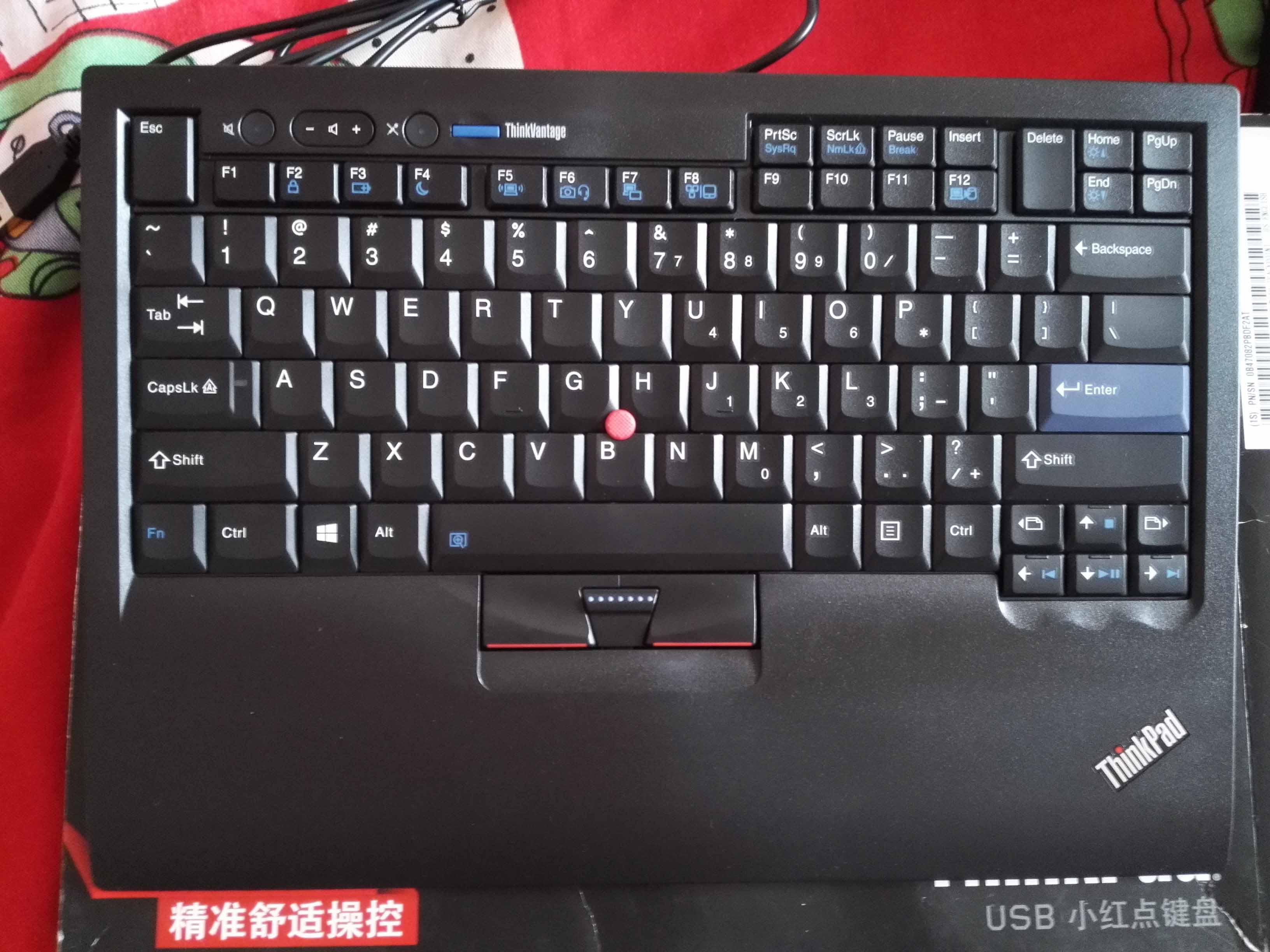
At my desk, I use a USB version of the same laptop keyboard and mouse that's on my laptop: https://download.lenovo.com/km/media/images/PD026745/tp_comp...