Storytime! When we started designing Chrome back in 2006, and despite having spent the past year working on Google's Firefox team, my favorite browser was iRider, which was an IE shell with tree-style-tabs. It was too power-user for what we were going for, but some of the concepts (pinning) live on in Chrome today.
> It was too power-user for what we were going for
Chrome might as well support the Sidebar API to make this possible like Firefox will do with Tree-Tab-Style Add-on iirc. I read a bug report once at the Chromium bug tracker saying roughly "Sidebar API wont be implemented because UI needs to stay simple".
Chrome had side tabs for years. Never overtly, but you could enable them manually. But they took them out because someone 'didn't like how they looked' and despite thousands of people starring the bug and hundreds of comments, they refused to even tolerate their existence as a hidden feature. They're very serious about making sure you use their software only the way they want.
Modern product managers and data science folks have a very inflated view of their ability to anticipate their user's desires, IMO. "Simplicity" has killed so much useful-to-the-user functionality in the past decade, like star ratings (fortunately iTunes still has them, at least), intuitive queues (remember the old Netflix DVD queue?), linear feeds of chronological data (hi Facebook and Twitter)...
Yeah, too bad some losers at Google killed off vertical side tabs which were working perfectly fine and were even a 'hidden feature' that had to be enabled manually... because they 'didn't like how it looked.' Of course they provided no alternative other than having a ton of nearly useless tiny little tabs which apparently looks 'better' to someone somewhere. Yes, I am bitter, why do you ask?
The reasoning wasn't that we didn't like it and wanted to kill hidden features (as above, I loved it), but more that all things, even small or hidden ones, come with small and hidden cost, and cost is the end of large projects. It sounds a bit daft to many, but just having the code in the tree is a burden - tests run, translations need to be updated, and minor dependencies all over the place increase development costs persistently. For example, consider the staff who added the "audio indicator in tabs" functionality and how the presence of a separate tab system in the tree might cause them extra work, or how their work may inadvertently cause critical bugs in sidetabs that don't have an owner to fix it or care for it.
To keep Chrome nimble we attempt to cut and trim as much as we can, knowing that that annoys some. We don't always get this right, but it's better to aspire to do fewer things well than to be generally OK with crufty bits here and there.
I realize this explanation probably won't decrease the sadness, and you've probably heard something like it many times in the bug tracker, but if not, I hope it explains things a little.
I'll keep my comments civil, but I really cannot say how absolutely evil, wrong, and arrogant that decision and attitude are, and how much I hate and despise Chrome on account of this and similar intentional design crippling and abuse.
(I've filed a number of bugs on several of them, based on the experience, I simply won't bother in future. It's absolutely clear that Google's goal is to driver users such as myself far, far away. Why should I fight that?)
I'll point though to the tyranny of the minimum viable user, and a rather massive Achilles' Heel Google have been manifesting of late.
I wish you guys would build a multiple rows of tabs UI, like Opera for desktop had. It was self-balancing (since you would eventually run out of browsing space), but in a better way than having everything just made tiny per column.
The one UX challenge you would need to solve though, that Opera did not, is how much horizontal space to use per tab, after it gets cramped. No-one would be happy with any particular default...
Bubbles sound like a really great feature! I'll be waiting on a Mac version too so maybe this already exists - but it'd be awesome to be able to pin domains to bubbles so they always open in that bubble. Then Facebook can have their own bubble and can't see anything even if their scripts/buttons get through ublock.
The Firefox extension "Firefox Multi-Account Containers" by Mozilla has the exact features you mention. I've been using it ever since it was first released as a Firefox Test Pilot add-on and it's great! So awesome to be able to keep things segregated. Combined with the Tree Style Tabs and Tab Groups extensions, it's killer.
That said, Firefox 57 will kill the Tree Style Tabs and Tab Groups extensions, so hoping some browser like Doogie picks up those features and incorporates them into the browser core or at least as extensions.
I remember a few years ago when Chrome actually had a hidden feature flag that let you enable side tabs, not fully tree style, but it was better than nothing. Sadly they removed it.
Will the rewrite reduce it to the utterly-useless form of a button that drops down a list of open pages? I've seen that sort of thing attempted a few times by browsers that are idiots about their UI and don't let extensions change it and it's really garbage. Firefox going that route just makes me profoundly sad.
Before being sad, take a look at already extant add-ons for vertical tabs, which work almost exactly as before, with the exception of tree style nesting. Even that will come soon, as the author of Tree-style tabs is working on a port to WebExt.
I am using vertical tabs in nightly (which uses the new plugin architecture). I don't use tree style tabs but I would be surprised if they are not supported.
This looks very promising, I'll keep an eye out for macos version, and in the mean time might play around in my VMs. In any case, thanks and godspeed to you.
Currently juggling between FF Nightly (for speed and memory usage) but lacking critical add-ons (LastPass), and Chrome(/ium). I tried Vivaldi for a bit but was really disappointed with the UX after a while. I miss the golden era of Opera.
I wish someone would create an Emacs buffer style browser where we could easily switch between tabs similar to how Emacs lets you switch buffers. I know you can do this in Emacs, but I just think for all the work people do to get tabs working nicely, maybe the way Emacs has done it actually works pretty well without overwhelming the screen with so much information all the time.
That tree on the left would be better in some kind fuzzy search screen that appears on a key-binding (e.g. like some setups in Emacs) and otherwise be hidden so the full screen can be used for the page. Either as a panel like it is now or a modal/window.
It's not what you're looking for, but it might be interesting to note that there's a pretty capable window manager (hybrid tiling/floating) that runs in Emacs, written in Emacs Lisp, and indeed lets you jump between windows using your buffer switcher.
> some kind fuzzy search screen that appears on a key-binding
Firefox kind of does that. If you type Gmail and you have a Gmail tab open you will see a "switch to tab" entry. It support fuzzy search so it's handy.
Unfortunately, Conkeror is reliant on XULRunner, which is deprecated if not outright EOL now (especially since XUL itself is deprecated / nearing EOL).
Does anyone here make money through these browsers? Either by selling ads or by some other means.
I have a few ideas in this space, but I am not sure about monetization strategies.
Completely unrelated, but I just had to comment that I love the style of this webpage. Those double-line borders take me back to my days of writing toy programs in Clipper.
Eek, yeah, I didn't have a global Qt install when I was testing. I do bundle the Qt libs along side. Maybe change LD_LIBRARY_PATH to local dir? I have filed an issue: https://github.com/cretz/doogie/issues/45. That's why it's an alpha release :-)
Perhaps you can fix by calling dlopen on the shared objects explicitly rather than linking them and relying on the linker to find the libraries at runtime. I'm not sure, not totally familiar with C linking.
You should look into distributing an AppImage. Its author has a very nice script that you can use to ship Qt apps that works on all linux distros: https://github.com/probonopd/linuxdeployqt
Also, is there a particular technical reason you went with CEF directly instead of QtWebEngine or QtWebkit ? It would be interesting to know about it.
I'll look into linuxdeployqt. I am probably just going to statically link Qt. I am not using anything security conscious with Qt and I don't want versions changing underneath, so a system-level Qt makes little sense I think.
QtWebKit was deprecated then just recently undeprecated IIRC (with a non-Qt maintainer). As for the QWebEngine stuff, it was a bit premature when I was looking and didn't offer everything I needed at a low level. It's quite possible it does now (and would make my work easier!), but I have not looked.
Never. Chrome had side tabs, but some being wiser than all others determined unreadable microtabs to be the appropriate punishment for the sin of opening too many (good thing there isn't a big movement towards web-based apps!). They were removed, multiple bugs opened begging for them to brought back, merged together, starred by thousands of fools (like myself), but the word came down. Someone didn't like how it looked. And that was that.
This is sick. Well done. My brother who is autistic has an elaborate routine of viewing and ordering web pages. Next time I see him I'll see if he likes this.
Yeah, sorry. I developed this on my Thinkpad and I didn't really want to dev this in a hackintosh VM. My fear is that even if I develop a OSX version, it will become stale because I don't use it regularly. I abstracted all the platform-specific stuff, so it should be really easy for anyone wanting to add OSX support. I'll happily help/guide anyone.
You will be in good company! The only reason I use FF anymore is Tree Style Tabs. But now that they're transitioning their addon framework, I'm forced to choose between new goodies and critical addons (for me) like TST. Can't wait to try this!
Although, for a Vimperator replacement because of the breaking FF/Vimperator upgrades, I've found VimFX to be pretty awesome. I had to write some configuration scripts to get d/D to drop tabs like Vimperator, but other than that it works very well.
So is it just a new way of organizing tabs? I'm not sure what the issue is with browsers having many tabs open, besides it being difficult to navigate between them (and obviously resource consumption)
Difficult navigation is enough of a problem. Seeing just a single letter of the page title because you have a hundred tabs open makes finding tabs really hard and cumbersome.
> besides it being difficult to navigate between them
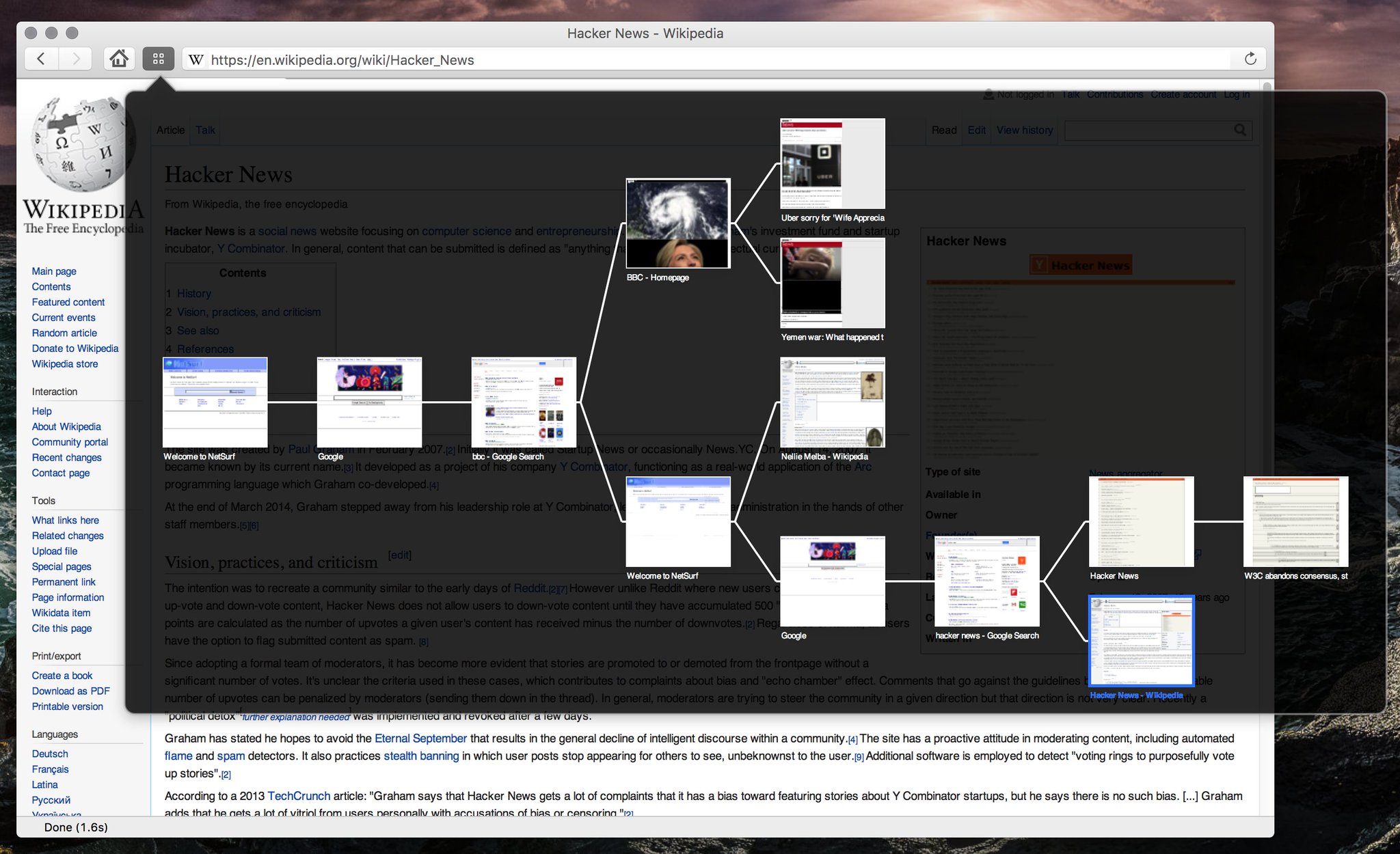
That's it. Hierarchical pages makes it really easy to contextually browse or what I call "immutable browsing" which is never just clicking, but always ctrl+clicking links to never change your current page.
Also, the one thing many people don't realize is how easy it should be to close dozens of pages. A simple drag across the close buttons in Doogie (or drag over which ones you want) helps close swaths of pages.
It's solving the problem that Firefox has nuked the tree-style-tabs browser extension in FF57. It also highlights a good reason to write a separate browser as opposed to implementing it as an extension for one of the big player's browsers, because you can guarantee they'll break your extension within 3 years.
The analogy of it being an IDE is telling. You can think of some browsers as the equivalent of being a text editor, some as intermediates (Sublime Text), then this as an IDE.



Storytime! When we started designing Chrome back in 2006, and despite having spent the past year working on Google's Firefox team, my favorite browser was iRider, which was an IE shell with tree-style-tabs. It was too power-user for what we were going for, but some of the concepts (pinning) live on in Chrome today.