A lot of skepticism in this thread. I've got a pi4 4GB running Ubuntu server, acting as a SMB file server, Plex media server, Mopidy music server, Spotify Connect endpoint, video recorder for my two outdoor IP cameras, and a Minecraft server for my kids, all running simultaneously. And it's not breaking a sweat, not even getting close to full memory or CPU utilization.
I do use a USB nvme SSD enclosure for storage to be fair, and it's only stable when using a powered USB hub.
I've had encrypted USB storage on a Pi 2, as a Git server for over 5 years, used by several users for large projects, when the commit size was large there were some CPU bottleneck(it's Pi2 after all), but never had any reliability issues although I had daily backup to another USB storage on the same device and a remote-backup pushed from the device. I might have rebooted it 3-4 times over past 5 years just for cleaning.
As long as there is proper storage (Reliable SD card for boot/root [I prefer Toshiba], USB storage for other files) and Power supply (Official RPi power supply) Raspberry Pi's have been the most reliable computing platform to me.
With current generation Pi's, it's much more easier to even boot from SSD, have better filesystem like btrfs, zswap, ArchLinux ARM etc.[1].
I believe you can boot from USB now, even on the Pi 4. No way I'd rely on an SD card for the OS if this was to be used over a long period. I saw too many of those fail or become corrupted over time, even when minimizing writes.
I've bought Toshiba cards from 16GB to 128GB over past several years and I agree that their latency is low when compared to Samsung or other brands; But Toshiba cards has never failed but every other brand has(corrupted/becoming write protected etc.) especially on RPi.
But since almost every SBC support booting from SSD (Even if they don't, we can have /boot on SD and /root on SSD), so low SD card latency is not an issue to me. In fact I'm digging up old 4GB cards for /boot to repurpose larger capacity SD cards from SBCs for other purposes(Chromebook, Camera etc.).
As for specific model, there were many different model names, I usually choose the middle tier for performance:price.
I find the pi4 is pretty close to being fast enough to be my daily driver. Not quite, but it's pretty close. I suspect the pi5 will meet my needs. Being able to just mount a ~$100 computer on the back of my monitor and do my work on it will be pretty mind blowing.
Some of the "toy" pi laptops like the CrowPi2 (https://www.kickstarter.com/projects/elecrow/crowpi2-steam-e...) are getting really close to being usable as a daily driver for me. I'd love something like that with a combination a breadboard for hacking, an SSD drive, a battery and a dock instead of the built-in toys.
You may wish to look into refurbished tiny-form-factor PCs for this purpose. With a relatively powerful x86 CPU it's possible to live this dream today!
Oh yeah definitely, I've looked into that as well. And there are some small x86 based maker boards like the Udoo as well. How cheap cpu power and computers in general are getting is more what I'm amazed at.
I have been running a Minecraft server on a Raspberry Pi 4 for my friends and I for a while so I may be able to provide some input. PaperMC is the only way I could get the Pi to run Minecraft while having an acceptable player experience.
I have to keep the world files on an external SSD though as the SD card is simply to slow and becomes a bottle neck. I also had to change some of Minecrafts settings as well to reduce CPU strain (disable spawn chunks, reduce render distance, etc). I also overclocked the Pi's CPU to 2 Gigahertz. It actually works out really nicely and I recommend you give it a try if you are interested. You are going to want to use a 64bit os like Ubuntu though in order to avoid a 32bit OS' max memory process allocation limit of 2 gigs, Minecraft is very ram hungry.
I'm running my rpi 4 as a kubernetes controller on Ubuntu. It also has wireguard hooked up with 8 dedicated server nodes. The SD card class A2 has been enough for disk performance, no SSD needed.
It's mounted on a din rail with the DINr mount plate and a Poe hat, makes it very compact and it fits in my small fiber network clauset. Planning to add 2 more for hight availability.
I have a couple of RPis running Raspbian with a SMB server, and they keep on ticking without a hitch.
The only problem I ever experience was when I tried to run a RPi4 as a desktop with a 4k tv. Although everything worked out of the box, sometimes the system stopped responding.
You can now run the current Java version, but it's still too slow to be enjoyable... I think if Mojang wanted they could fix the performance as it itermittently is completely playable for long periods:
I use the regular one with OptiFine and some jvm tweaks, and decrease the settings for how far out you can see and graphics fidelity and it's playable, though frame rate isn't super high. It's not so slow that it's annoying though.
I’ve been trying to put together a self-hosted surveillance situation to replace this Nest. So far I’ve got a super cheap PoE camera from amazon and Zoneminder. The camera leaves a lot to be desired... and I’m still figuring out Zoneminder
I use motionEye to monitor RTSP feed from two IP cameras (Generic) on RPi 3(SSD, btrfs, zswap, ArchLinux ARM - headless, passive cooling - heat sink case) the feed averages around 30fps(720p) with motion detection. I had a third logitech c720 via USB but removed it to get better frame rates for the former and make room(CPU) for a SDR setup(To receive 433Mhz from other sensors).
Note: Generic IP cameras dial home for public identification on their apps and also would never receive security updates. I had to meticulously block all open ports using firewall. If you feel that's too much of risk, then I would suggest building a camera setup with RPi camera or ESP camera yourself to be used with motionEye.
Thanks for the details! yea i picked up a generic chinese camera and did not at all like the required login to their servers... I’m not confident enough in my sysadmin skills to make sure this thing isn’t spying on me.
I’m considering spending 4x-5x the amount on better hardware..
Just to understand the need gap, how much would you be willing to pay for a RPi nano/ESP camera setup with Motion Eye which allows you to store the data in your own NAS?
Thanks, not sure whether a Pi Nano can handle more than a feed from 1080p/60 camera 24/7 but I'll post the need gap of self hosted IP camera setup in my problem validation platform[1] to find existing solutions and to see if others want it.
I have detailed, why I created it here[1]. Experience has been great, I has got me valuable insight in using language/grammar to differentiate problems vs startup ideas and issues in doing that. What I have learnt so far is that, It's easier to think what we come up with is a 'startup idea' than 'identifying a problem/need gap'.
I'll be improving it in the coming years to study more on the topic.
I've tried motioneye and zone minder and they were too complicated or CPU intensive and didn't record audio, so I ended up writing a multiprocess python script with ffmpeg to directly write out raw video data. I've got months of continuous video from two cameras on a 1 TB SSD.
I purchased ieGeek 1080p ip cams, but they were not PoE so I bought adapters. Might be easier to just get PoE cams directly.
I run home assistant and the unifi controller on a 3b Pi and noticed that I have restart it once a few weeks or it starts becoming slower to respond. I don't know if it's a memory thing that eventually becomes too much or something else.
Does it cope well with on-the-fly transcodes (1, maybe 2 simultaneously) with Plex? Just in case it encounters a client that cannot direct-play a video.
Unless you specifically need the 8GB RAM (where Rpi 4 is the only contender in this range as of right now AFAIK), IMO for server use-cases it'd be better to consider either Odroid C4 or Rock Pi 4 - both offer better storage interfaces than USB/microSD natively. Also easier to run vanilla Debian/Ubuntu (or Armbian, which is very close to vanilla but can be easily built custom for either board preconfigured with necessary kernel modules/dtbs/boot loader/drivers/firmware for each board).
I don't know if things have improved but traditionally every other alternative SBC had better hardware but was stuck in one image provided by the vendor that was never updated and buggy. Has the situation improved, i.e. can you just run apt upgrade on an Odroid C4? Can you run Arch on it?
The Armbian project has been a pretty good platform for various boards. The support will be different from board to board, but personally had a great experience with it on an Orange Pi Zero.
Personally I use ARM SBCs to get physically separate hosts for things like Consul/Vault/Nomad servers, k8s control plane, some monitoring instances, workers for loads that don't need blazing single-thread performance, etc. This way I can run something close to "best practices" HA redundant clusters while staying low on purchase and electricity costs, and my whole setup can fit in a suitcase if I need to move.
Some of the things you mention (m.2, RTC, switches) are things that are either included or cheap and easy add-ons to the boards I mentioned.
Another nice upside is the low power means it's easier to power them via PoE, so you don't need a power supply in the first place.
I also try to go as far as I can in the direction of libre/open software/firmware/hardware, which means I try to minimize the reliance on Intel and AMD CPUs.
I’m using my old Anker charging station to power most of my SBCs.
I think the “it depends” also depends on what you think the next ten years holds for ARM vs x64. Getting some more hours in dealing with ARM ‘servers‘ might be a decent way to hedge your bets.
I have a nanopc T4 with a rockchip and 4Gb that’s been moldering away on a shelf for a year and a half. Finally getting it up and working. Armbian isn’t so bad.
Full sized hdmi port, USB-C with DisplayPort, gigE, and connectors for two WiFi antennae, and an M.2 4x slot on the backside of the board that would be great for an nVME card. It also has two screw holes and a power header for mounting a heat sink.
> better storage interfaces than USB/microSD natively.
For this micro-server form factor, with a tiny little board in a tiny little case, what is a better storage form factor than a little portable SSD connected via USB 3?
(I wouldn't be wild about using a microSD card for a server that relied much on storage)
Since the Pi people finally got USB boot finished for the Pi 4, I'm not sure what USB annoyances are left to worry about? That's really why I asked the question. A USB 3 SSD seems about as trouble-free as a storage device can possibly be.
I recently built a desktop computer. It uses a 6x6 inch mini-ITX motherboard. The motherboard has a CPU and 2 sticks of RAM in it, raising the height to about 2 inches. The SSD goes inside the motherboard in the M.2 slot. Aside from this 6x6x2" unit, the only other things are:
- the gigantic graphics card - not necessary on these type of computers
- the power supply unit - standard USB unit for these
- and the CPU cooler which is a big hunk of metal sticking out and raising the total height to about 6 inches - again not necessary, maybe a tiny passive heatsink
M.2 is faster and lets you put a tiny SSD (literally just a PCB with flash chips on it) inside the thing instead of having a large external USB SSD with a cable to connect. So in the end you have a super compact computer that is basically just one PCB with another PCB inside it and maybe a tiny heatsink.
It's a slightly different paradigm, that's for sure. It feels technically neater to interface a little more directly with the storage hardware. I'm not sure how much I'd give up for that, though.
> having a large external USB SSD with a cable to connect.
The Samsung t5 and t7 SSDs I'm using with RPi 4s are about the size of a credit card (a stack of five credit cards, I guess). The tiny, very solid flirc cases for the Pis aren't much bigger, and dissipate heat beautifully. I like this solution a lot more than I anticipated I would.
You have to do special config stuff to make it work, its not a default way to do things like an SD card or m2 card is on other SBCs. Also usb cables can get disconnected sometimes.
Maybe not exactly what you are looking for, because larger and more expensive than most systems in this context, but it comes with anything one needs, with the exception of CPU, RAM and storage.
I keep almost buying one but never quite get there. An updated version is around the corner and although it will support the new 4000 series APUs (when they become generally available), it's otherwise underwhelming compared to the updated Intel model.
The second image on that page is hilariously wrong on scale. The USB port is about as wide as the caps lock key on the keyboard. They're supposed to be touting the small size of the unit and actually made it look bigger. Is it really that hard to just put the thing on a desk and take a real picture of it?
A Lenovo M92p is about 6x the price of a RPi, and the noise/form factor can't possibly be compared.
If you really want to compare a 200$ desktop with a 40$ SoC then you should aim for stuff such as those mini PC's/thin clients from Asus, which nowadays even ship with Ryzen processors.
The $40 SoC isn't $40 after you the drive, power supply, enclosure, etc. There's a parts list in the article. I don't think the 4GB bare RPi is $40 anyway, it's higher.
And a used Lenovo Tiny is easy to find for much less than $200. $100 shipped without an SSD, $140 with one.
> The $40 SoC isn't $40 after you the drive, power supply, enclosure, etc.
That's true, but we can break cost down easily. Right now there are RPi4 packs with power supply, enclosure, and both passive and active coolers for less than 15$. Storage depends on your taste, but you can buy 64GB USB pen drives or micro SD cards for less than 10$, or 1TB external HDD for less than 50$. Thus for a total less than 100$ you can have a brand new server up and running.
I'm talking about stuff you can simply add to your shopping cart and get it shipped to your doorstep in a few days with zero research. These prices were literally taken from the first search result that popped into amazon.
Better yet, this option involves zero time wasted betting on whether end-of-life hardware still has a few months left in them.
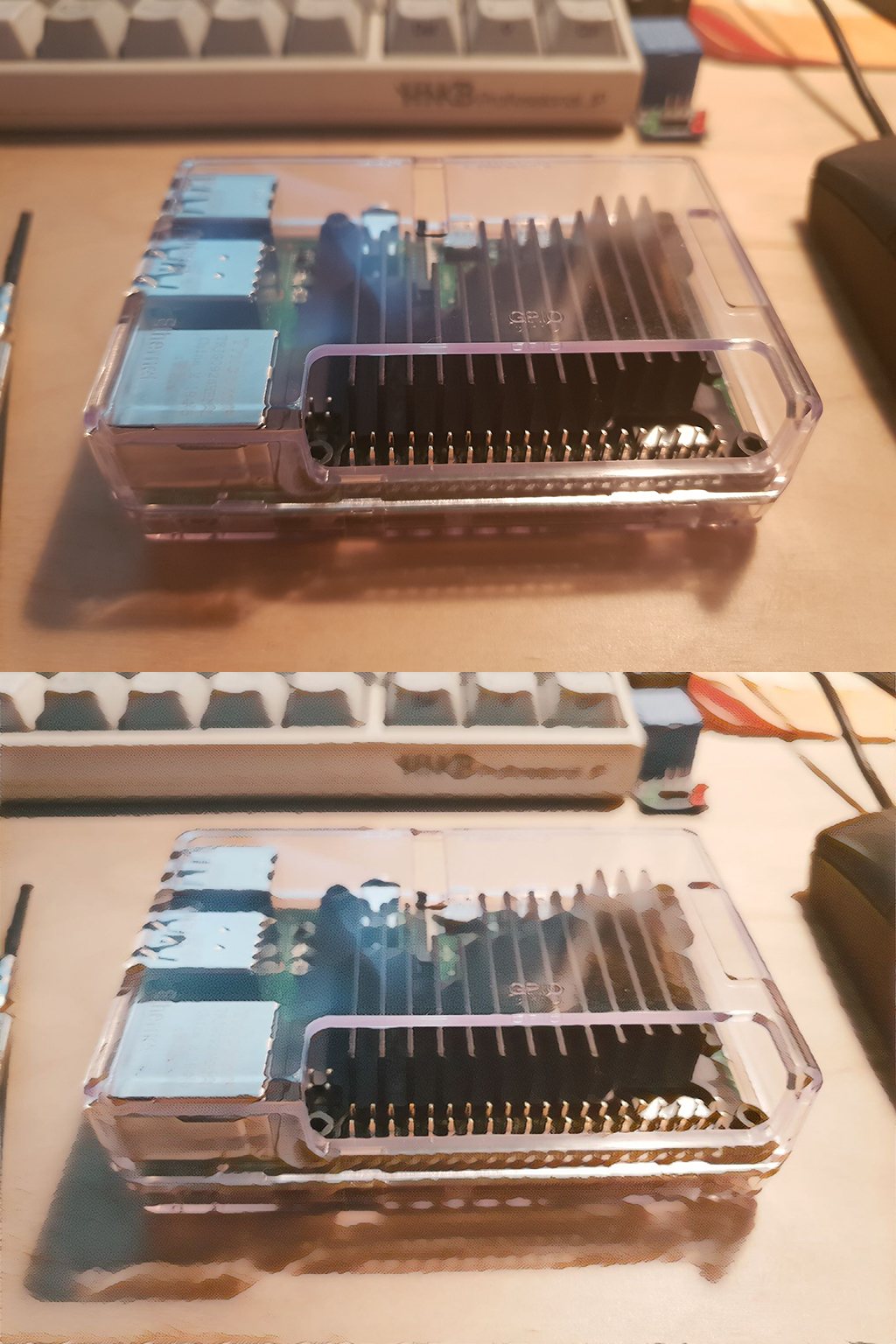
There's no way you can do much on the rPi4 without active cooling - mine gets uncomfortable hot doing some basic web scraping, never mind server duties.
> There's no way you can do much on the rPi4 without active cooling.
You'd be surprised. YMMV and of course your local climate and your usage patterns do dictate how hot your gear runs, but in my experience adding a small 1$ heat spreader does allow my RPi4 to chug along without going over 60C. Heck, even placing it on the side or placing a coin stack over the processor is enough to keep it running along without ever throttling.
Of course if you're constantly running 100% CPU loads then you start to need cooling, whether it's your laptop or desktop or even servers.
There's an oversized passive heatsink available for the RPi4 now: https://www.coolipi.com/ Ought to be adequate at full load without a fan for anything short of a tropical climate. Not inexpensive, though.
For the purpose of home server, SFF PCs are enough small to put on side of the router and almost zero noise. It a bit costs but it features decent storage, great CPU, reliable LAN. Even x6, $200 is cheap.
Thats not a bad option but it’s a huge dif in price, specs, size. It really depends on your needs and wants. The pi’s are very tempting because they could be incorporated in many small spaces. Somebody else mentions that an used laptop has better specs and while true it misses the point. Rpis are ubiquitous, small, interchangeable, etc
And the price will most likely go down even further (in terms of specs and compared to other options). I persobally welcome them even if i dont own any yet
We've been running a Raspberry pi 3 smb/print server for a few months now. It was also our wifi access point for a little while. We have it hooked into a 7-port USB 3.0 hub for removable storage.
Raspberry pi is also ideal as a command and control server for IP gadgets running hacked firmwares such as cameras and doorknobs and ACs and stuff. It is better to run cameras on on a separate wifi channel/PHY to save bandwidth, store to local server, rsync over to off-site backup once a day. All of this can be done with Pi, ethernet cable and a cheap usb wifi interface.
He makes awesome YouTube videos on various small electronics projects like this, including some more complex ones with custom PCBs and stuff. The website is more used as a reference/script for the videos, and the videos are much better if you actually want to see the projects visually.
I’m a big fan of his Casio F91W mods and his Pi Zero projects. His overall design/aesthetics are flawless too.
If you don't care about the internal SSD drive than the Argon One case would be a nice alternative to this. It is a nice looking case which also moves all the ports to one side. While not the cheapest case it is likely less expensive than getting all the parts together for this design.
I don't understand why you would bother with this when you can pick up a second-hand Thinkpad for so cheap which brings a builtin UPS and far more performance, RAM, and IO options.
I don't see where it makes any sense to compare an ancient used end-of-life x86 laptop with a brand new ARM SoC in any of the relevant categories, such as price, form factor, power consumption, availability, and even support.
Just for context, you can fit about 10 raspberry pi 4s in the same volume you fit your used laptop, and for the price of an old end-of-life Thinkpad you can buy 5 or 6 RPis. Hell, you can go to any online store and buy dozens of RPis in a couple of clocks and have them delivered to your doorstep in a few days.
Meanwhile, your cheap Thinkpad is already in the tail end of its bathtub curve.
People need to stop thinking in terms of
-ancient
-used
-end-of-life
-old
..when describing hardware used for mostly trivial purposes. The mentality of just clicking up some new hardware with no consideration of e-waste has to stop.
Anecdote; my last laptop was a used T420. $80. You're lucky to get two Pi+SD card+power supply for that.
What do I care how many Raspberry Pis I can fit in the same space as a used Thinkpad which brings a display, keyboard, battery backup, and myriad high-speed IO ports beyond just USB, when we're talking about a stationary server role?
I'm going to go out on a limb and assume the average HNer already has numerous retired laptops collecting dust in a corner, all more powerful and better suited to connecting high-speed storage to than any Raspberry Pi. They're already wasting space and have already been manufactured, instead of adding more e-waste piecing together Pi-based storage contraptions just turn one on and set it up for server duty already.
As someone who's grown tired of a flaky rpi connected to an external drive, is there a generation to shoot for in terms of low price to reasonable performance?
I was able to swing $230 total for two x230s with the base i5 and ssds last fall/winter (actually three, but the third doesn't really count (arrived damaged, seller initiated a refund then ghosted, got a full refund from ebay)). If you're really lucky, you can find a computraced one for super cheap ($85 in my case) and then coreboot it.
That said, x220s and x230s seem to have gotten more expensive since then, I haven't seen any similarly good deals lately.
Check the buyer’s guides on r/thinkpad. Typically you’re looking at T or X series, with T giving the most flexibility. T410 to T430 can be had for less than $200 and should be fine for server use. The numbering scheme is Txy0, with x the screen size (4 for 14), b the Core i generation (0 is core 2 duo).
As someone who's not a huge fan of used laptops as servers (they've already seen hard use and are not really meant for 24x7 operation either), consider the Odroid H2+ instead: https://www.hardkernel.com/shop/odroid-h2plus/ Tiny, x86-based, and only $119 plus RAM and storage.
Yeah I’m in the same boat right now. I want an always on machine to connect a disk to that doesn’t draw too much power. I looked at NUCs but they seem far too expensive for my usecase.
I use a rpi2 with a DAC hat attached on top, hooked up to amp and speakers, powered by and Ethernet connected to a time capsule nas. It all fits nicely on a shelf.
I could have used a thinkpad with a usb DAC, but it would require more space, more power cable, ... It would provide a built in ups and screen, which I don’t need.
I think rpi are OK when the whole service it provides could be read only, with no local storage / state.
Don't know about Thinkpad, but my previous Asus laptop won't boot unless the monitor is connected.
Most things I use Pi's (Raspberry and other flavors) for are headless.
Sure I could probably fool around with a logic analyzer and try to figure out some way of fooling the motherboard it has a monitor, but meh, Pi's are cheap and easy and just work.
Don’t do it! For (your own) source code or valuables, you need ECC memory and a capacitor on the power supply for your storage device which, by the way, should not be prone to corruption when the device is vibrated a little too hard causing electrical shorts in the SD-card or USB connectors! Backups aren’t the answer either, in fact backups can trigger RAM errors (especially with encryption and compression enabled) that may only ever be occurring during backups leading to..silently corrupted backups.
The Sun was in a relative quiet period for most of those 15 years. Intel removed ECC from the consumer products to keep businesses from buying them --they didn't count on an entire generation of Computer Scientists being wiped out in the dot-com crash and the replacements getting lucky while not knowing any better. All of the great masters (cough) know better, such as the architects of AWS (it is 100% ECC), Microsoft, Apple and other environments that were less affected by the loss of key personnel to the Crash. But keep down votin' --love it!
Really? They discovered quarks at my university (I wrote the kernel mode code to handle the data bursts from our Cyclotron on sub-MIPS processors) and I have four decades of systems experience. So, what are your qualifications? Hmm?
cosmic/solar radiation (stray particles), voltage regulation and thermal conditions are the main causes of RAM errors. downvotes are popularity contest on Hacker “News”
Is this missing an /s at the end? All of this is true, but come on, 99% of regular people don't need any of this stuff. And pretty much no one actually needs ECC memory outside of professional setting.
I tell yah there is nothing sadder than some poor CPA who has lost all of his client files and some of his baby's pictures when the Fusion Drive in his iMac failed (what a horrible piece of technology) only to discover that their backups are all bad because whenever the program kicked-in, it caused a failure mode on their cheap-azz third-party RAM DIMM that was otherwise unnoticed due to lack of ECC support. So when you say "pretty much no one" are you missing an /s at the end?
Let's combine two facts - virtually no consumer desktop, laptop, phone or tablet ships with ECC memory, yet somehow, nearly everyone is successfully using their computing devices for both pleasure and work, including backups. Yes, failures happen, but they are so incredibly rare that recommending people at home to buy ECC ram is in the same league as recommending getting a double PSU or a UPS for home use to prevent data loss in my mind. Technically correct, but in practice you're reducing the chances of losing your data from 0.0001% to 0.0001% or something equally negligible. There are actual, real, impact steps that anyone can take to improve their data safety - ECC memory is not one of them.
Well, instead of trying to find data to support what I said, try to find data to support what you did maybe? My assertion is simple - virtually no consumer computing devices come with ECC ram, therefore it follows that ECC ram is not necessary to use, play with and work with computers every day. If your assertion is the opposite of that, then I'm willing to see data proving it. And of course 0.0001% was pulled out of my ass.
Heh, the fastest HPC cluster on the top 500 list is arm.
Amusingly #2, #3, and #4 aren't x86-64 either. Number 5 is, but mainly because the xeons are handling I/O for the real heavy lifting on the matrix-2000 accelerators. The first pure x86-64 cluster is #8.
So the performance story is changing quickly, and arm is just getting started.
> The new top system, Fugaku, turned in a High Performance Linpack (HPL) result of 415.5 petaflops, besting the now second-place Summit system by a factor of 2.8x.
> Fugaku is powered by Fujitsu’s 48-core A64FX SoC, becoming the first number one system on the list to be powered by ARM processors. In single or further reduced precision, which are often used in machine learning and AI applications, Fugaku’s peak performance is over 1,000 petaflops (1 exaflops).
> The new system is installed at RIKEN Center for Computational Science (R-CCS) in Kobe, Japan.
I got a Raspberry Pi 4 and naively thought that because it was ARM it used little power and didn't need fans. In a few weeks the board melted and now won't turn on. Was only running a few programs.


I do use a USB nvme SSD enclosure for storage to be fair, and it's only stable when using a powered USB hub.